
Requirements
Hardware Requirements
- 8GB RAM
- 4 Core/8 Thread AMD64 based processor
- 500GB available storage
Software Requirements
TopMod QA's server-side infrastructure relies on Docker and Docker Compose, as well as an Nginx reverse proxy paired with LetsEncrypt SSL generation.
The easiest way to ensure that the Docker requirements are met is by using the docker convenience script:
curl -fsSL https://get.docker.com -o get-docker.shsudo sh ./get-docker.sh --dry-runTo install Nginx, run the following:
sudo apt update
sudo apt install nginx
To install LetsEncrypt's certbot, run the following:
sudo apt install snapd
snap install core; snap refresh core
snap install --classic certbot
The following ports must be available on the server (not in use), :
- 443 (TCP/UDP) - Exposed
- 3000 (TCP/UDP)
- 3478 (TCP/UDP) - Exposed
- 5349 (TCP/UDP) - Exposed
- 17769 (TCP/UDP)
- 21338 (TCP/UDP)
- 32770 (TCP/UDP) - Exposed
Ensure that your A records are pointing to the server and that DNS requests are resolving correctly. You will need two of them, one for the Collaboration system, and the second for the TopMod QA backend itself.
Sharepoint Setup
In order to connect to Sharepoint, the backend must be registered by following the instructions located at: https://learn.microsoft.com/en-us/entra/identity-platform/quickstart-register-app?tabs=certificate
Once the app registration is complete, follow these instructions to generate a self-signed certificate which will then be added to your Sharepoint App registration: https://learn.microsoft.com/en-us/entra/identity-platform/howto-create-self-signed-certificate
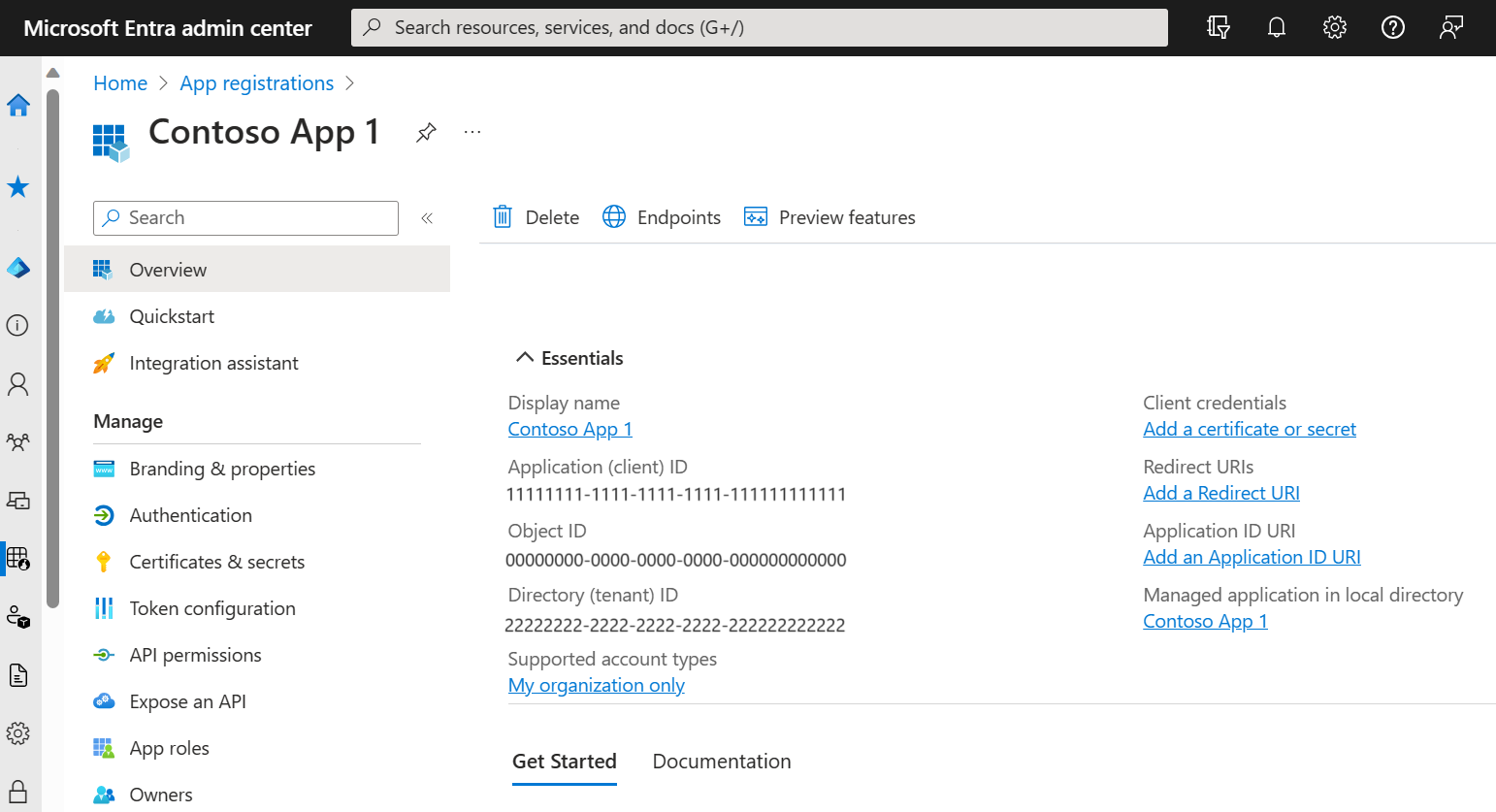
On the right hand side of the registration overview, you can add the certificate. Once this is done, go to the API Permissions menu on the left and add the following permissions:
| Permission Group | Permission Type | Permission |
| Sharepoint | Application | Sites.FullControl.All |
| Microsoft Graph | Delegated | User.Read |
Preparations
Please ensure that you have the following information to hand before continuing with the setup:
- TopMod QA License ID (Provided by DAQA)
- TopMod QA Client ID (Provided by DAQA)
- TopMod QA Deployment Binary (Provided by DAQA)
- Desired TopMod QA backend URL (FQDN)
- Desired TopMod QA collaboration URL (FQDN)
- Sharepoint site URL (ie., https://ORG.sharepoint.com:443/sites/SITENAME)
- Sharepoint tenantId (32bit UUID)
- Sharepoint clientId (32bit UUID)
- Sharepoint secret
- Sharepoint certificate & certificate key/password
- SMTP server details (Credentials, Host, Port)